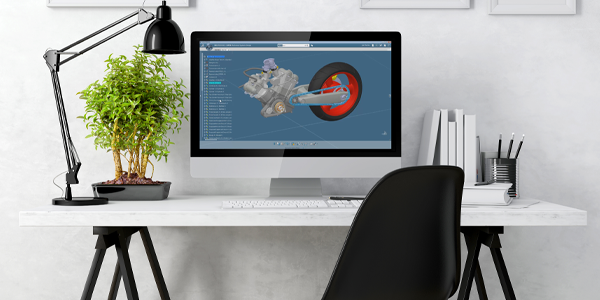
What are CAD Essentials for CATIA?
CAD Essentials provides a modular tool set for enhancing and simplifying workflows across CATIA V5 and 3DEXPERIENCE CATIA. These cost-effective solutions enable process automation without the need for a full-scale customization project.
CAD Essentials can be purchased individually, or as custom toolkits.

What can you do with CAD Essentials for CATIA?
Prevent Version Conflicts
Eliminate License Bottlenecks
Automate Data Quality Checks
Share Lightweight 3D Models
Speed Up Assembly Mirroring
Stabilise Custom Toolbars
Simplify Batch File Cleanup
Eliminate Repetitive Tasks
Release Alert
Release Alert prevents accidental upgrades by warning users when they open models from different CATIA V5 releases. It sits quietly in the background, triggering a clear pop‑up whenever a file could cause downstream compatibility issues.
This keeps mixed‑release environments under control without asking engineers to remember complex rules or workflows, and avoids time‑consuming rework when suppliers or partners use different versions.
Available for CATIA V5.
Eliminate version conflicts
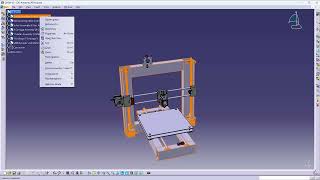
Smart STEP Conversion
Smart STEP Conversion automates the activation and release of the STEP license only when an export or import is actually performed. Instead of relying on users to manually toggle licenses, it ensures resources are freed up immediately after use.
This improves license availability across the team and avoids frustrating situations where critical work is blocked because a license is being held in the background.
Available for CATIA V5.
Unlock seamless STEP workflows for your team

CATDUA for Products
CATDUA for Products automates quality checks and healing across complex product and drawing structures. Rather than selecting each file manually, engineers can run targeted CATDUA sessions that focus on specific documents and issues.
This dramatically reduces the effort required to maintain clean, robust data, and helps teams keep large assemblies production‑ready without dedicating days to error cleanup.
Available for CATIA V5.
Automated data healing at scale

3DHTML Export
3DHTML Export creates lightweight, browser‑based views of your CATIA models that anyone can open without installing a viewer. You can configure templates, select which properties to publish, and run exports in interactive or batch mode.
This makes it simple to share design intent with non‑CAD stakeholders, from purchasing to management, while keeping control over what information leaves the CAD environment.
Available for 3DEXPERIENCE CATIA.
Share models instantly, anywhere

Assembly Data Mirroring
Assembly Data Mirroring streamlines the creation and maintenance of left‑ and right‑hand variants for parts and assemblies. Using configurable rules, it mirrors geometry, metadata, and consistent reuse of standard components.
This removes much of the repetitive manual effort and reduces mistakes when building mirrored products, particularly in automotive and machinery projects with many symmetric structures.
Available for 3DEXPERIENCE CATIA.
Mirror assemblies effortlessly

Toolbar Organizer
Toolbar Organizer brings order to heavily customized CATIA V5 environments by centralizing how toolbars, icons, and shortcuts are defined and deployed. It lets you group scripts, macros, external tools, and standard commands into stable toolbars that load reliably.
This reduces frustration caused by disappearing or broken toolbars and gives administrators a cleaner way to roll out consistent interfaces across teams.
Available for CATIA V5.
Stabilize your CATIA toolbars today

XFileV5
XFileV5 provides powerful batch tools for renaming CATIA part numbers, file names, and properties according to configurable rules. Engineers can preview changes before execution to avoid surprises, and align naming conventions with PLM, ERP, or customer requirements.
This makes it much easier to clean up legacy data, enforce consistent structures, and keep large assemblies manageable throughout ongoing design changes.
Available for CATIA V5.
Standardize naming across assemblies

Why use CAD Essentials?
CAD Essentials is for teams who feel the ‘small’ CAD issues every day but never have time for a big customization project. It gives you ready‑made tools that plug straight into CATIA V5 and 3DEXPERIENCE CATIA, so you can remove friction fast without changing your entire environment.
Automate repetitive CATIA tasks, so engineers can focus on high‑value design work instead of manual clicking, scripting, and error‑prone routines. This boosts throughput without complex customization.
Accelerate design‑to‑documentation cycles with tools that streamline mirroring, data checks, and drawing updates. Teams move from concept to released documentation with fewer delays and hand‑offs.
Enforce standard naming, parameters, and CATIA release usage so assemblies stay clean and reliable. Consistent data reduces rework, avoids version conflicts, and supports downstream manufacturing and PLM.
Share models as lightweight 3D views and manage STEP licenses automatically. Everyone gets access to the geometry they need without file chaos, viewer installs, or blocked licenses.
Start small with one tool, then expand as needs grow. You gain measurable productivity improvements without committing to a risky, full‑scale customization project.
Industry-specific applications for CAD Essentials
Automotive
Remove the daily friction that slows down body, interior, and powertrain design. Automatically mirror left‑ and right‑hand parts and assemblies, apply consistent file naming and properties across large vehicle structures, and avoid CATIA V5 version conflicts when multiple releases are in play.
License control for STEP and streamlined 3DHTML export make it easier to share lightweight models with OEMs and suppliers without blocking colleagues from critical CAD resources. Automated drawing tables and CATDUA workflows reduce rework on detail drawings and product structures, so changes flow cleanly from design through tooling and manufacturing.
Aerospace
Complex assemblies, strict configuration control, and long design cycles, make aerospace projects vulnerable to small CAD issues that scale into major delays. CAD Essentials can help by automating CATDUA checks on large product structures, providing robust file and metadata control for variants and options, and preventing accidental upgrades across mixed CATIA V5 releases.
Efficient 3DHTML export and STEP license automation help engineering, stress, and manufacturing groups share validated geometry without manual overhead. Drawing automation and toolbar management keep documentation aligned with internal standards while reducing the effort of maintaining heavily customized environments.
Industrial equipment
In industrial machinery and equipment, teams juggle many product variants, frequent engineering changes, and tight delivery schedules. CAD Essentials help standardize naming, parameters, and drawing content across families of machines so updates scale cleanly instead of being repeated manually on every configuration.
Automated CATDUA for assemblies and mirroring tools support robust reuse of common modules, while version‑alert and license‑control capabilities keep multi‑site CATIA V5 deployments running smoothly. Lightweight 3DHTML export gives sales, service, and manufacturing clear access to accurate product views without requiring full CAD installations.
High tech
High tech and electronics products depend on fast iteration, tight mechanical‑electronic integration, and global collaboration. CAD Essentials reduce friction in CATIA‑based workflows by automating routine drawing and parameter updates, enforcing consistent file structures for enclosures and sub‑assemblies, and protecting teams from version conflicts as designs move between sites and suppliers.
STEP and 3DHTML export tools make it simple to share precise or lightweight geometry with partners, while toolbar and license management keep specialist workflows accessible without constant IT intervention. This lets engineers spend more time on innovation and less on administering complex CAD environments.
How to choose your CAD Essentials tools
CAD Essentials are available as yearly subscriptions, with pricing that scales by number of users so you can match investment to team size. Start by identifying where your engineers lose the most time: version conflicts, license bottlenecks, drawing work, or data consistency.
If you only need to fix a single pain point, pick the individual tool that addresses it best.
How to buy CAD Essentials
Looking to purchase CAD Essentials licenses? Want to see a demo to understand what CAD Essentials can do? Or do you need to speak to an expert before you can make your decision?
CAD Essentials comes in all shapes and sizes. We’re here to make sure that you’re getting the right software package for your team.